Archived publication · 2021 edition
This is a faithful historical publication, not updated security guidance. Original claims, terminology and contact details reflect its source edition. Contact Sandbox Technologies for current advice.
Device Hardening

DEVICE HARDENING
Implementing NIST/DOD Hardening Standards to Optimize Security
Sandbox Technologies
Tel. 424.207.5130
3868 W Carson St, Suite 316, Torrance, CA 90503
Original PDF · page 2
Device Hardening
Improve your organization’s security by adopting NIST/DOD device hardening standards.
What is Device Hardening?
Simply stated, device hardening is the application of configuration settings, the disabling of non-essential services, and the implementation of best practice security controls. The purpose of device hardening is to aggressively eliminate or mitigate potential threat vectors that could be used to compromise a machine.
The National Institute for Standards and Technology (NIST) publishes an extensive list of device hardening standards recommended for computer workstations and servers. Settings may vary from one device to another based on factors including the device’s operating system and it purpose (e.g., server or workstation)
Examples of hardening include the disabling of unused protocols, the removal of local administrative capabilities (e.g., disallowing the installation of software by the device’s user) and restricting the way in which physical ports can be used. (For example, if a user’s job responsibilities do not require the ability to routinely copy company data to external media, USB ports can be restricted to disallow the use of removeable media, while still permitting the use of keyboards, printers, etc.
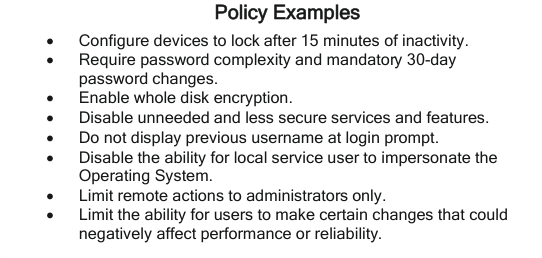
Policy Examples
Configure devices to lock after 15 minutes of inactivity. Require password complexity and mandatory 30-day password changes. Enable whole disk encryption. Disable unneeded and less secure services and features. Do not display previous username at login prompt. Disable the ability for local service user to impersonate the Operating System. Limit remote actions to administrators only. Limit the ability for users to make certain changes that could negatively affect performance or reliability.
Planning and Deploying Device Hardening Configurations
General steps required to implement device hardening standards for an organization include:
- • Identification of target computers (i.e., the computer workstations and servers to be hardened).
- • Documenting each device’s operating system, business purpose, and essential software installed.
- • Drafting an action plan outline to include any necessary exclusions for particular devices.
- • Meeting with the organization’s designated IT contact/approver to present action plan outline, discuss caveats, note revisions, and obtain authorization to proceed.
- • Edit GPO’s to reflect necessary alterations. Deploy GPO’s and confirm successful deployment.
- • Follow up with users and organizational management to identify and implement any additional changes required.
For more information, contact your Sandbox Technologies Engineer or
Consulting CIO, or use our Web Contact Form.
http://www.sandboxtech.com