
Best Practice Checklists
An exclusive publication of

Essentials every leader should understand about IT
Issue 1 – Remote Worker Security and Productivity
Remote Worker Security & Productivity
Your security perimeter now runs through networks you do not own
Remote and hybrid work is no longer a temporary arrangement. It is a permanent part of how most organizations operate, and it moved two things outside the walls of the office at once: the systems that must be secured, and the people who must be overseen. The security question is that a home network the company does not control is now part of its attack surface. The productivity question is quieter, that a manager loses the incidental visibility a shared office provides. Both are manageable, and both are far easier to get right on purpose than to fix after something goes wrong.
Where remote work quietly goes wrong
Not every remote setup needs every safeguard, and some exposure is a reasonable trade for speed and cost. The point is not to alarm. It is to make sure each trade was chosen deliberately, because the situations below are more common than most organizations expect.
The home network as a doorway
A work laptop shares a flat home network with a smart TV, a game console, and a router still using its factory password. One of those devices is compromised, and because nothing separates them, the attacker moves sideways onto the laptop, and from there toward the company network.
One neglected home device becomes an entry point into the corporate network.The device the company cannot reclaim
Work is done on an employee’s personal computer. When that person leaves, or is suspected of wrongdoing, the company has no clear right to inspect, wipe, or recover the machine, and the company data on it goes too.
Company data walks out the door with no way to retrieve it.A stolen password and a weak second factor
A reused password is phished. If no multi-factor authentication stands behind it, or if the second factor is a simple approve prompt the user taps without thinking, the attacker signs in from anywhere as a trusted employee.
A single reused password becomes full remote access.Protection that no one is watching
Security software is installed on each remote machine, but no one confirms it is switched on, current, and actually running. An infection spreads on a device everyone assumed was covered.
You cannot defend an endpoint you cannot see.The common thread
None of these is a story about expensive tools or sophisticated attackers. In each case the exposure traces back to a single control that was left optional, unmanaged, or invisible, on equipment and networks the company does not own.
Every one of these outcomes is avoidable, and rarely by spending more. They come down to a short list of choices about who owns the device, how it connects, and who is actually watching it. That is what the checklist below is for.
What to Ask Your IT Manager or Provider
and how to know if the answers are good ones
You do not need to administer a remote-access environment to oversee one. You need to know what to ask. A short primer on the terms is provided at the end, for those who want the detail. First, the part that matters: run the checklist below with your IT professional. If any item is not marked green, it may warrant a closer look.
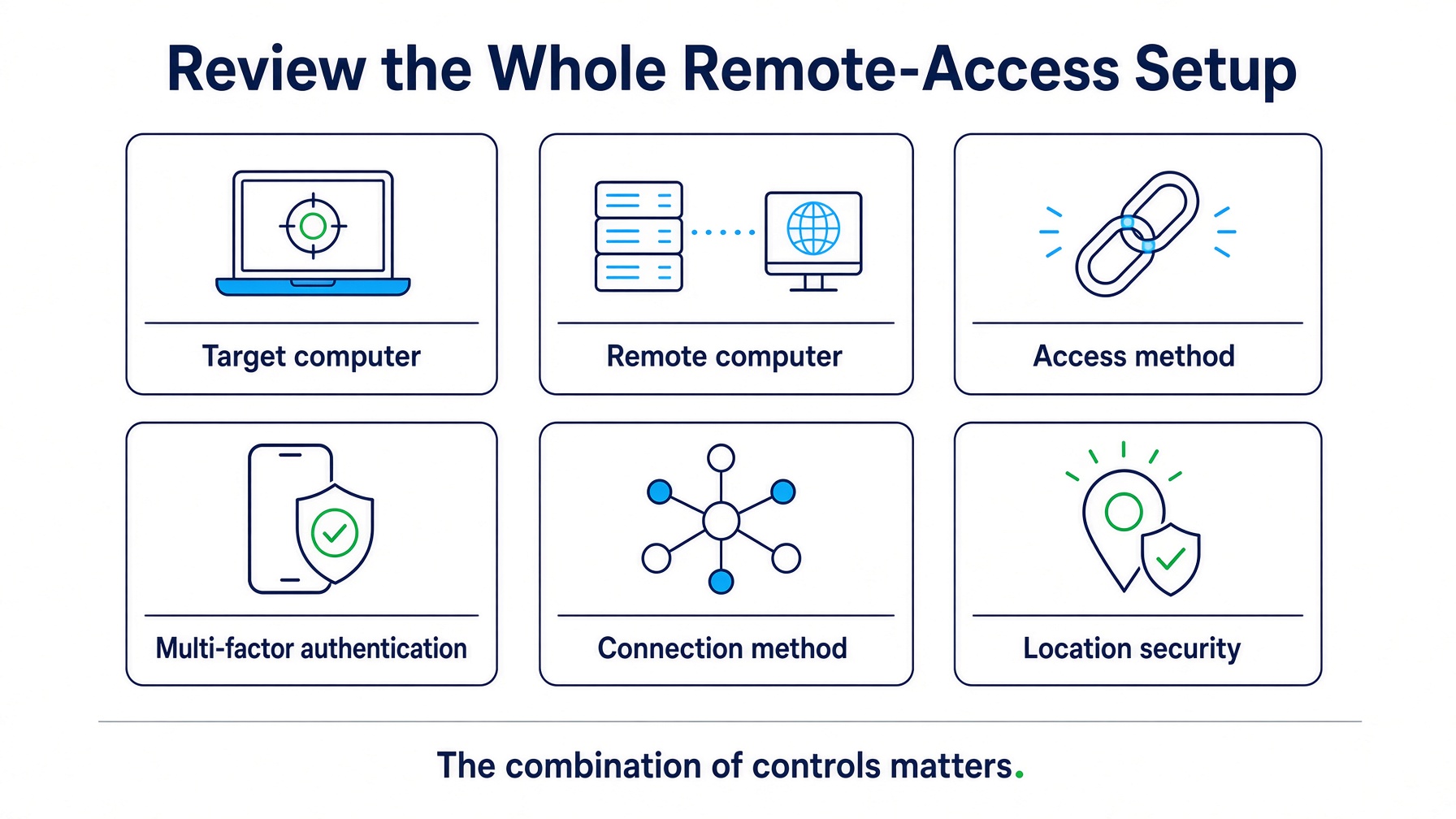
Target Computers
Remote Computers
Access Method
Multi-Factor Authentication
Connection Method at the Remote Location
Remote Location Security
Endpoint Protection
Restricted VPN Scope
Internet Connectivity at the Remote Location
Segmentation of Devices
Note: In some jurisdictions, employers may be required to provide or reimburse remote employees for the equipment and services needed to perform their work. Sandbox Technologies does not provide legal advice; organizations should consult their own counsel regarding obligations under applicable law before implementing these measures.
Overseeing productivity without overreaching
measuring outcomes, and coaching before problems harden
The harder half of remote work is often not technical. In a shared office, a developing problem tends to get noticed in passing. At a distance, the same problem may surface only when a deadline slips. The goal here is not to watch people. It is to notice a genuine issue early enough to coach rather than discipline, and to do so with the least intrusion that answers the question.
Clear performance indicators are the most effective and the fairest measure, because they judge outcomes rather than motion. Some are difficult to capture until a problem is already visible, and defining them is largely a management and human-resources exercise, though software can assist. When a specific concern does arise, a proportionate review of activity can help separate a real problem from an innocent explanation. Aggressive tools that capture every keystroke and continuous video exist, but they are costly to store and, for most organizations, more than the question requires. Lighter solutions that log basic activity and occasional screenshots are usually enough to surface a problem in time to address it.
Sandbox produced the example below to illustrate the point. It is an activity log for a fictional user, Bob Smith, whose supervisor would normally have no reason to request one. Lately, though, Bob has missed several deadlines. Read one way, the time on sports sites looks like distraction. Read another, it could be preparation for a meeting with a sports-minded client. An activity log is a tool for fairness as much as accountability, and it is only ever the starting point for a conversation, not the end of one.
Two questions are worth confirming for productivity, in the same spirit as the security checklist above.
Key Performance Indicators
Proportionate Activity Visibility
The primer: the terms behind remote accessPlain-English definitions, for whoever wants the detail. Optional.+
Hosted Desktop (formerly Terminal Server)
A hosted desktop delivers each user a virtual Windows desktop that runs on a central server rather than on the device in front of them. Microsoft’s older name for this was Terminal Server; current forms include Remote Desktop Services, Azure Virtual Desktop, and Windows 365 Cloud PC. The data stays in a managed environment, which simplifies security and control and can let older hardware be re-purposed. The trade is that the host becomes a point of concentration that must itself be protected and kept available.
VPN and Zero Trust (ZTNA)
A VPN creates an encrypted tunnel between the remote device and the company network. It remains a sound tool, but a traditional VPN often grants broad access to the network once connected. Zero Trust Network Access (ZTNA) is a newer approach that grants access to specific applications rather than the whole network and re-checks trust continuously. Which one fits depends on the environment, and both are worth discussing with your IT professional.
Multi-Factor and Phishing-Resistant Authentication
Multifactor authentication requires factors from at least two different categories, such as something you know and something you have. Codes sent by text and simple approval prompts can be intercepted, phished, or abused through repeated requests. Hardware security keys and appropriately implemented passkeys provide phishing-resistant authentication. Number matching helps reduce push fatigue where stronger methods are not yet available, but it is not itself phishing-resistant.
Endpoint Protection and EDR
Traditional antivirus matches known threats. Modern endpoint protection, often called EDR (Endpoint Detection and Response), also watches for suspicious behavior and can respond automatically. Managed centrally, it gives the organization the visibility that a standalone product on a remote machine cannot.
Network Segmentation
Segmentation keeps business devices on a separate logical network from personal computers, phones, and smart-home devices, so that a compromise on one cannot easily spread to the other.
Going deeper: the finer points with your ITThe trade-offs that separate a remote setup that works from one that only looks like it does. Optional.+
Company-Owned Devices vs. BYOD
Company-owned, managed devices can be hardened, patched, encrypted, monitored, and reclaimed. Personal devices under a Bring Your Own Device (BYOD) agreement are difficult to secure to the same standard, may raise legitimate privacy concerns, and can leave the company without clear standing to inspect or recover a device on departure or when wrongdoing is suspected. Company ownership is generally preferable.
Wi-Fi vs. Wired
Home Wi-Fi is frequently the weakest link: default or shared passwords, dated equipment, and no separation between the work device and everything else on the network. Where Wi-Fi cannot be avoided, it should use WPA3 where available and WPA2 at a minimum, and business use should be limited to Internet access with no reach to other local devices. Where an Internet-of-Things device such as a smart TV or streaming appliance must share the space, a separate network should be configured for it.
A Company-Managed Internet Circuit
A separate, company-provided Internet circuit at the remote location separates business traffic from the household, allows a company firewall to be deployed without monitoring the employee’s personal activity, reduces troubleshooting when connectivity fails, and can help clarify expectations of privacy over the circuit.
Firewall Trade-offs at Home
Adding a company firewall to a previously open home network can occasionally interfere with consumer applications, a common example being Network Address Translation (NAT) compatibility messages during online console gaming. Pairing a remote firewall with a dedicated, company-paid circuit avoids most of these frictions, at the cost of some added support from time to time.
Contact Sandbox Technologies for a free, no-obligation consultation.
Headquartered in Los Angeles. Serving clients nationwide and internationally since 1997.
Nationwide (Toll-Free)
877-930-8324
Los Angeles
424-207-5130
Support Helpdesk
424-207-5140